Slots
Slots manage the concurrency across your different projects.
The easiest way to think about Slots is to imagine them as physical phone lines or checkout lanes at a supermarket.
A single "slot" represents one active, simultaneous conversation.
-
The Basic Concept: If your organization has 10 slots, it means your AI agents can talk to exactly 10 different people at the exact same time.
-
The Limit: If all 10 slots are currently busy with active calls, and an 11th person tries to call in (or your system tries to dial an 11th outbound lead), that call will fail or be blocked until one of the active calls hangs up and frees up a slot.
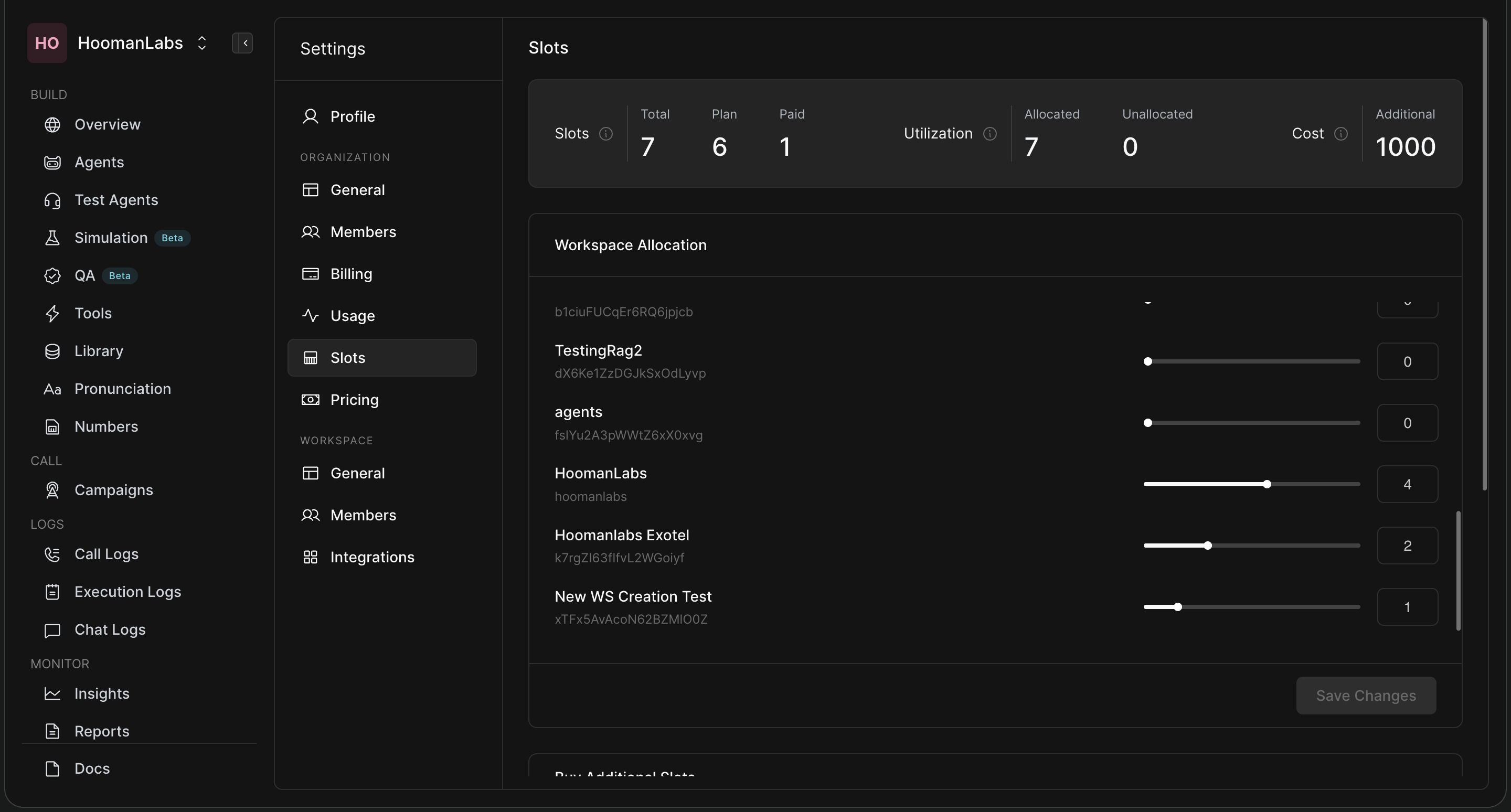
Understanding the Slots Dashboard:
-
Total Slots: The absolute maximum number of simultaneous calls your entire company can handle at once.
-
Workspace Allocation (The Sliders): If your company has multiple different departments (Workspaces), you might not want them fighting over the same phone lines. The allocation sliders let you reserve slots for specific teams.
-
Example: Let's say you have 10 Total Slots. You have a "Sales" workspace doing heavy outbound calling and a "Customer Support" workspace handling inbound complaints. You can use the sliders to allocate 7 slots to Sales and 3 slots to Support. This ensures that even if Sales is incredibly busy, they will never use up all the lines, guaranteeing Support always has 3 lines open and ready for customers.
-
-
Unallocated: Any slots you haven't assigned to a specific workspace.