Speech Settings
The Voice tab allows you to select your preferred text-to-speech engine, choose the perfect voice profile, and fine-tune exactly how the agent speaks.
1. Choosing Your Agent's Voice
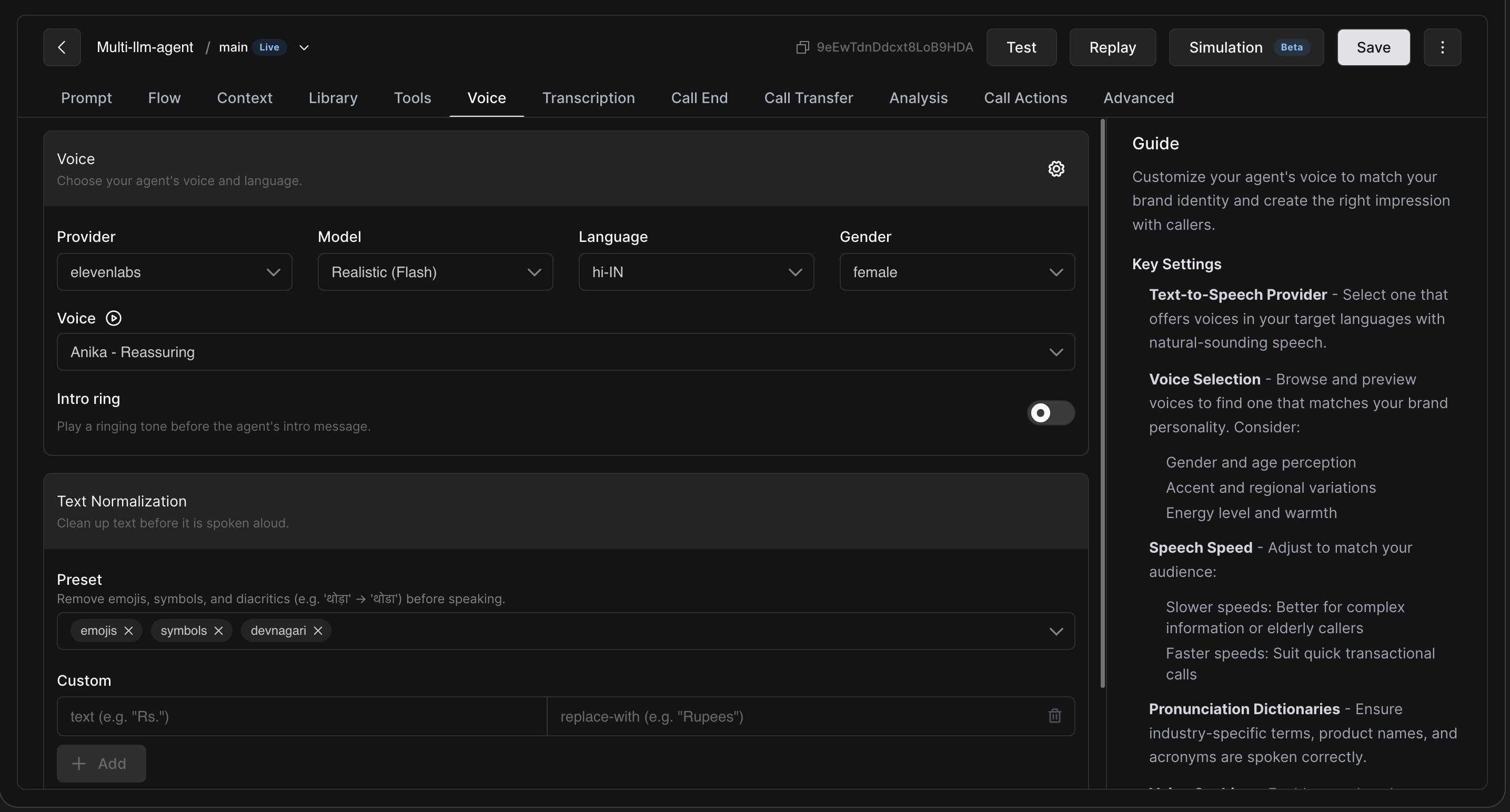
This primary section lets you define the core identity of your agent's voice. Select a text-to-speech provider that offers voices in your target languages with natural-sounding speech.
Browse and preview voices to find one that matches your brand personality. When making your selection, consider gender and age perception, accent and regional variations, and overall energy level and warmth.
Additional Core Settings:
-
Model, Language, and Gender: Filter the available voices based on the specific TTS model (e.g., Realistic Flash), your target language (e.g., hi-IN for Hindi), and preferred gender.
-
Intro Ring: Toggle this on to play a standard ringing tone right before the agent delivers its introductory message.
2. Text Normalization
Before the agent speaks, you can configure how it reads specific text characters to ensure a smooth delivery.
-
Preset: Use this to automatically remove emojis, symbols, or specific scripts (like Devanagari) before the text is spoken aloud.
-
Custom: Add specific rules to replace text. For example, you can command the system to always read "Rs." aloud as "Rupees".
3. Fine-Tuning Speech Parameters
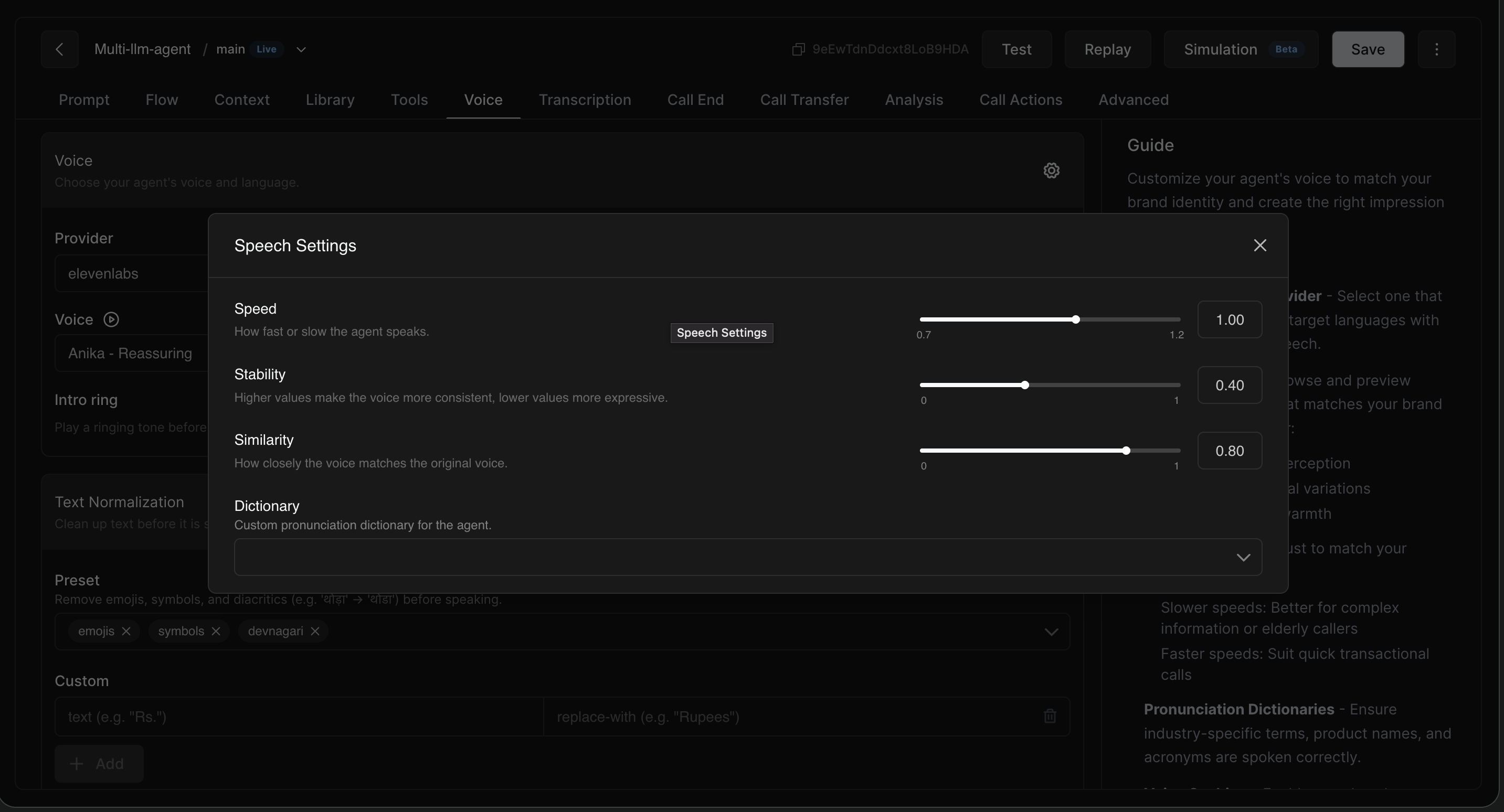
By clicking the gear icon next to the "Voice" selection, you can access the Speech Settings modal. This menu allows you to fine-tune the voice output and pronunciation.
|
Setting |
Description |
|
Speed |
Controls how fast the voice speaks. Slower speeds are better for complex information or elderly callers. Faster speeds suit quick transactional calls. |
|
Stability |
Adjusts how consistent the voice sounds across different utterances. Higher values make the voice highly consistent, while lower values allow for more expressive emotion. |
|
Similarity |
Controls how closely the voice sticks to its original reference tone. |
4. Pronunciation Dictionaries
Inside the Speech Settings modal, you can apply custom Dictionaries.
A pronunciation dictionary helps improve how specific words or phrases are spoken. Ensure industry-specific terms, product names, and acronyms are spoken correctly. Dictionaries can be created once and reused across multiple agents. Each dictionary contains rules where you define a phrase and spell out exactly how the AI should pronounce it.