Transcription Settings
Transcription settings define how your AI agent listens, processes, and understands user speech during a conversation. These controls significantly impact the agent's responsiveness, fluidity, and how it handles user interruptions.
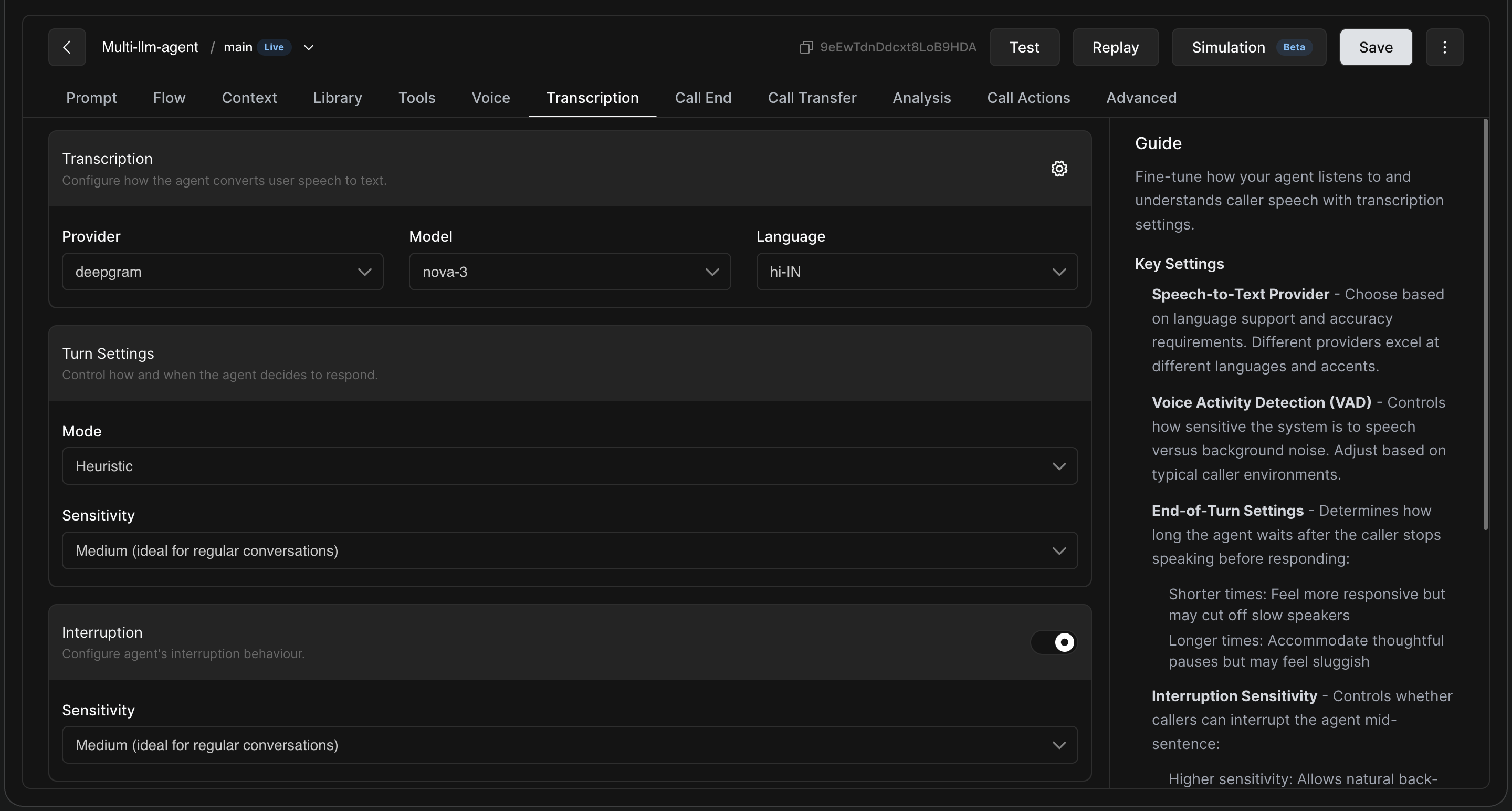
1. Provider, Model, and Language
This is where you set the foundation for your agent's "ears".
-
Provider: Choose your Speech-to-Text (STT) provider based on your specific language support and accuracy requirements.
-
Deepgram: Excellent for general use cases, offering high accuracy, smart formatting, and fast transcription speeds.
-
Sarvam: Highly recommended for native support of Indic languages (Hindi, Tamil, Telugu, Bengali, etc.).
-
Soniox: The ideal choice if your use case requires robust, out-of-the-box support for multiple languages.
-
Other providers include Elevenlabs, Navana and Assembly
-
-
Model: Select the specific model tier (e.g.,
nova-3for Deepgram orsaarasfor Sarvam) best suited for your use case. -
Language: Set the primary spoken language expected from the user (e.g.,
hi-INfor Hindi).
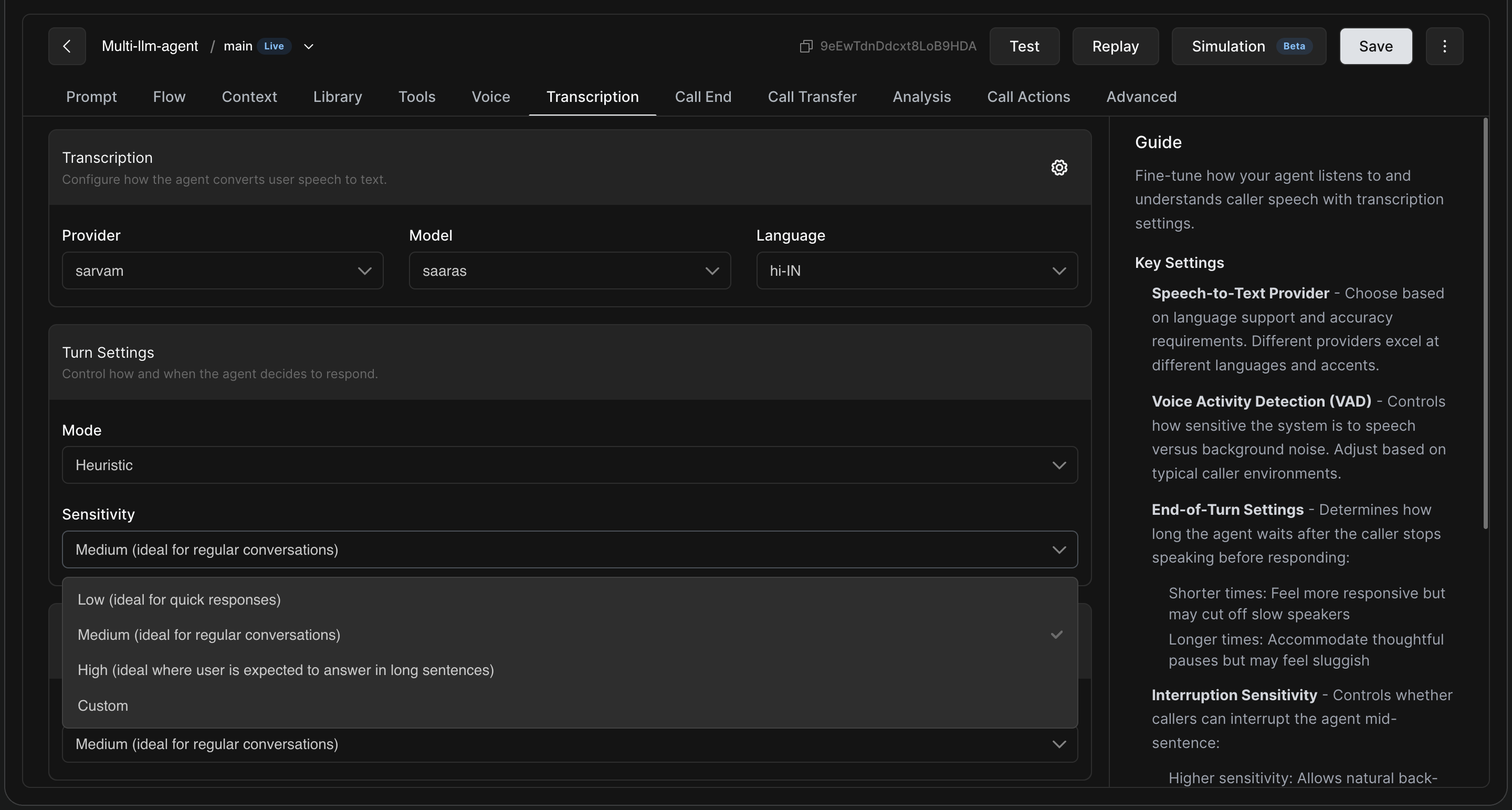
2. Turn Settings (When Should the Agent Speak?)
Turn settings determine how the agent decides that the user has finished speaking and it is time to reply.
-
Mode: Generally set to "Heuristic" for standard conversational flows.
-
Sensitivity: This controls how long the agent waits after the caller stops speaking before responding.
-
Low: Shorter wait times. Feels highly responsive but may cut off slow speakers. Ideal for quick, transactional yes/no responses.
-
Medium: The balanced default. Ideal for regular, everyday conversations.
-
High: Longer wait times to accommodate thoughtful pauses. Best when users need to explain complex issues (like filing a complaint).
-
Custom: Allows you to manually dial in exact silence duration thresholds.
-