Transcription Settings
Transcription settings define how your AI agent listens, processes, and understands user speech during a conversation. These controls significantly impact the agent's responsiveness, fluidity, and how it handles user interruptions.
1. Provider, Model, and Language
This is where you set the foundation for your agent's "ears".
-
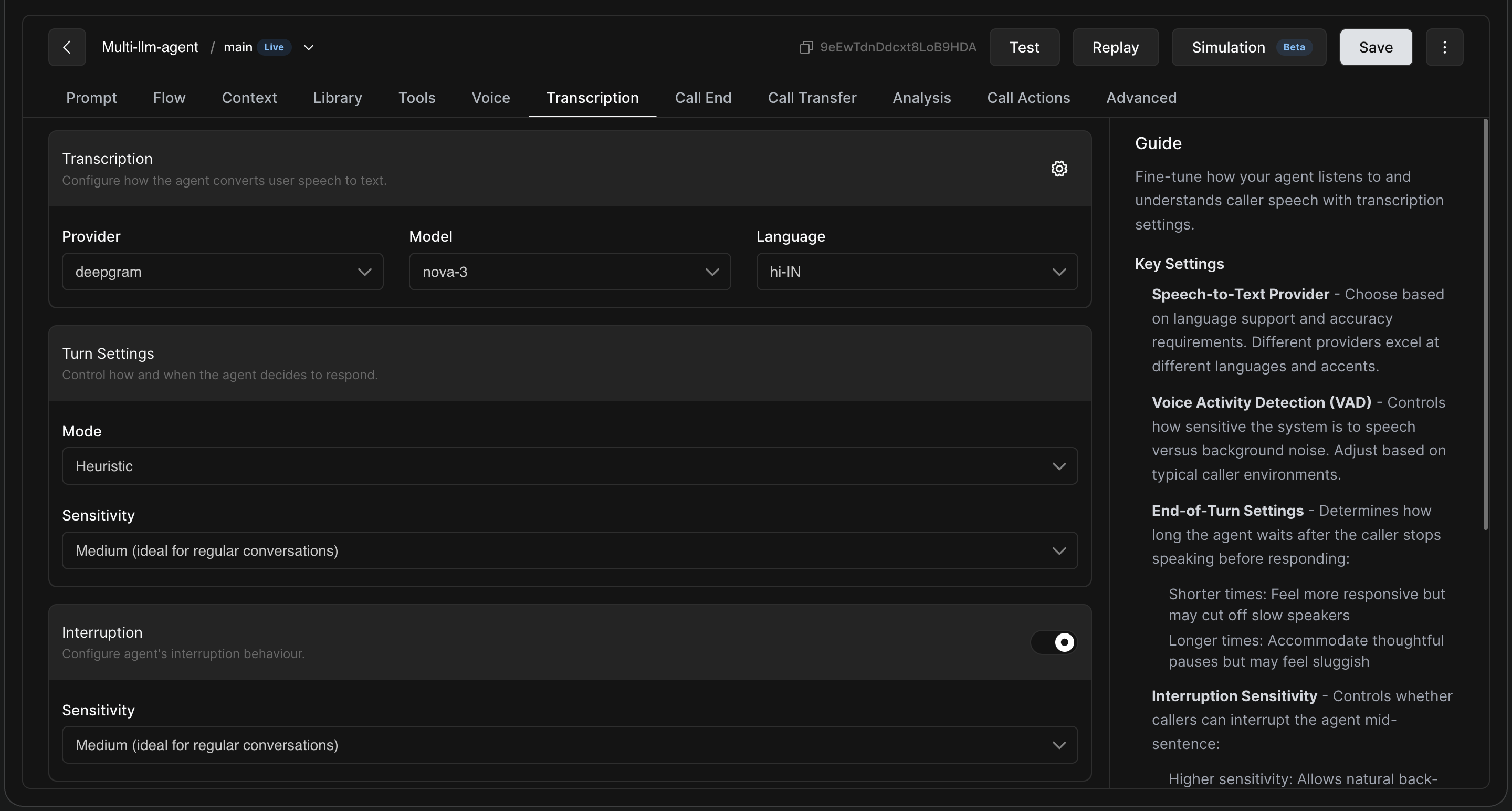
Provider: Choose your Speech-to-Text (STT) provider based on your specific language support and accuracy requirements.
-
Deepgram: Excellent for general use cases, offering high accuracy, smart formatting, and fast transcription speeds.
-
Sarvam: Highly recommended for native support of Indic languages (Hindi, Tamil, Telugu, Bengali, etc.).
-
Soniox: The ideal choice if your use case requires robust, out-of-the-box support for multiple languages.
-
Other providers include Elevenlabs, Navana and Assembly
-
-
Model: Select the specific model tier (e.g.,
nova-3for Deepgram orsaarasfor Sarvam) best suited for your use case. -
Language: Set the primary spoken language expected from the user (e.g.,
hi-INfor Hindi).
Note: For Tamil, Telugu and Kannada, “Sarvam” (Provider) with “Saras” (Model) is recommended.
2. Turn Settings (When Should the Agent Speak?)
Turn settings determine how the agent decides that the user has finished speaking and it is time to reply.
-
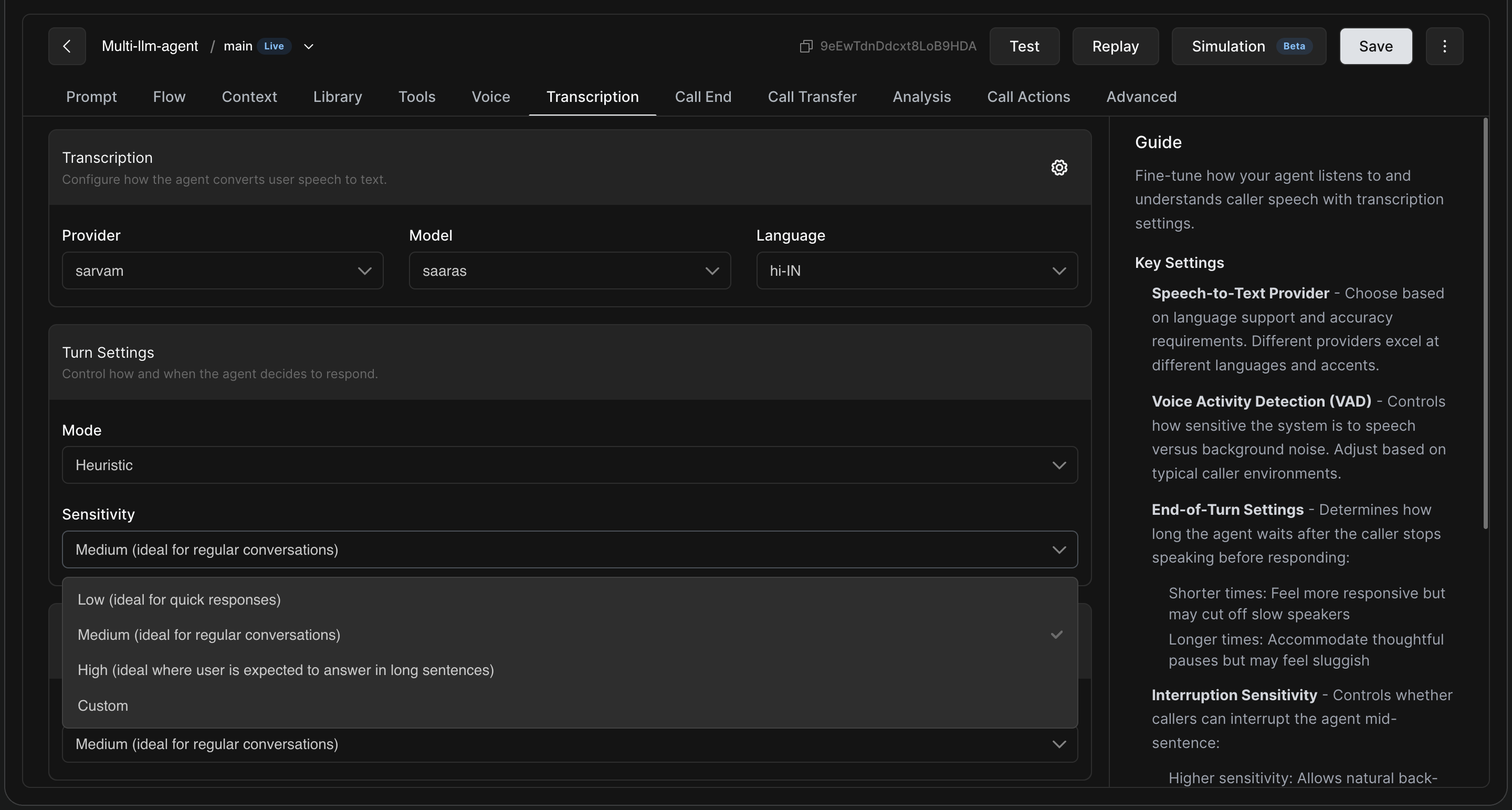
Mode: Generally set to "Heuristic" for standard conversational flows.
-
Sensitivity: This controls how long the agent waits after the caller stops speaking before responding.
-
Low: Shorter wait times. Feels highly responsive but may cut off slow speakers. Ideal for quick, transactional yes/no responses.
-
Medium: The balanced default. Ideal for regular, everyday conversations.
-
High: Longer wait times to accommodate thoughtful pauses. Best when users need to explain complex issues (like filing a complaint).
-
Custom: Allows you to manually dial in ex
-
3. Interruption Settings
Interruption settings determine if and when a user can stop the agent while it is speaking. This is crucial for creating a natural, back-and-forth flow.
-
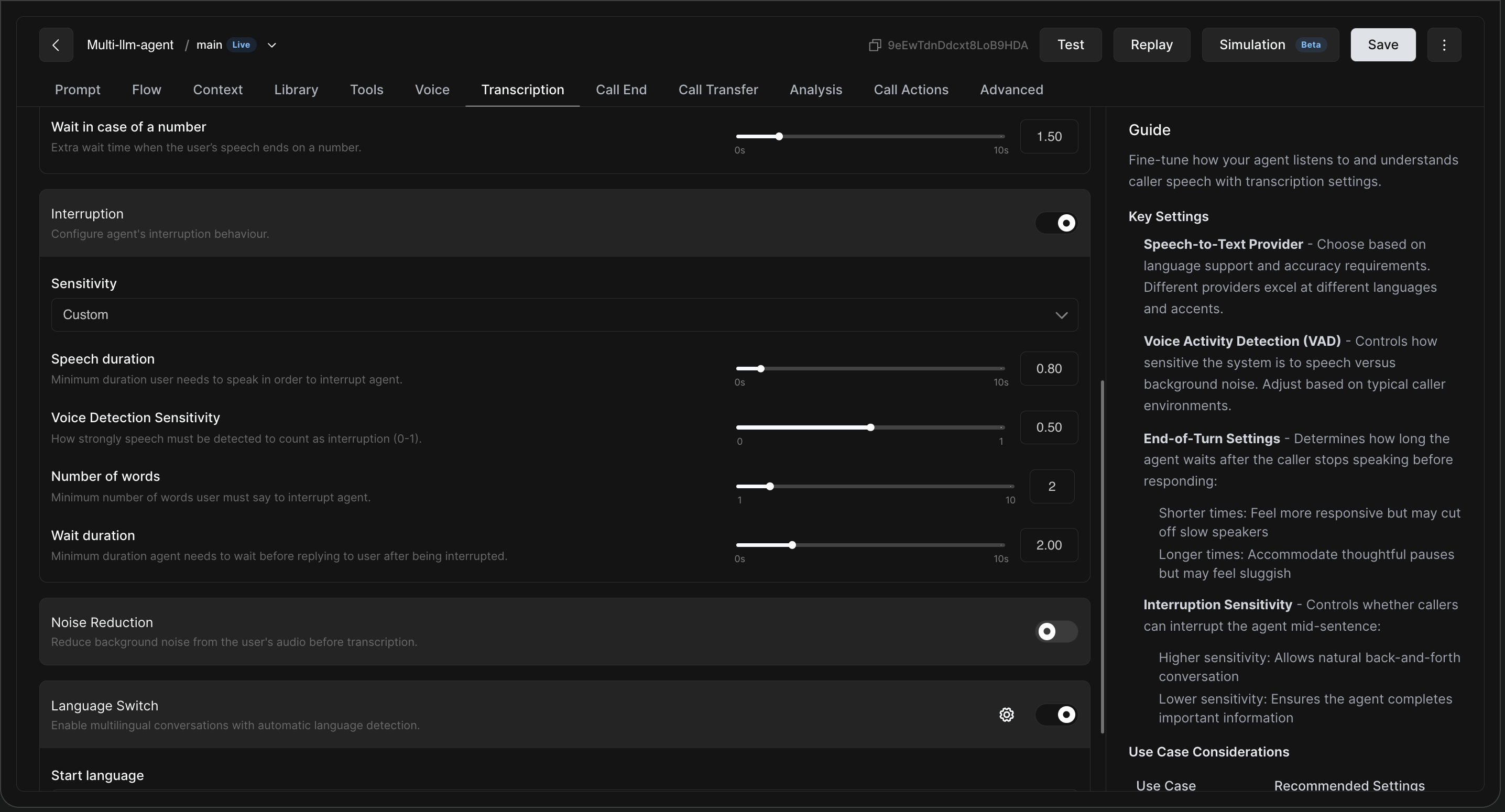
Interruption Toggle: Turn this ON to allow callers to interrupt the agent mid-sentence.
-
Sensitivity: Set to Custom to manually adjust the following triggers:
-
Speech duration: Minimum time a user must speak before the system registers it as an interruption.
-
Voice Detection Sensitivity: How strictly the system differentiates between human speech and background noise (scale 0-1).
-
Number of words: Minimum words a user must say to trigger an interruption.
-
Wait duration: The minimum time the agent waits after being interrupted before it begins its next response.
-
2. Noise Reduction
-
Function: When enabled, this feature filters out background noise from the user's audio input before it is transcribed.
-
Use Case: Highly recommended for calls where callers may be in public spaces, commuting, or high-noise environments to ensure higher transcription accuracy.
-
Attenuation: Use slider to set how aggressively background noise is suppressed.
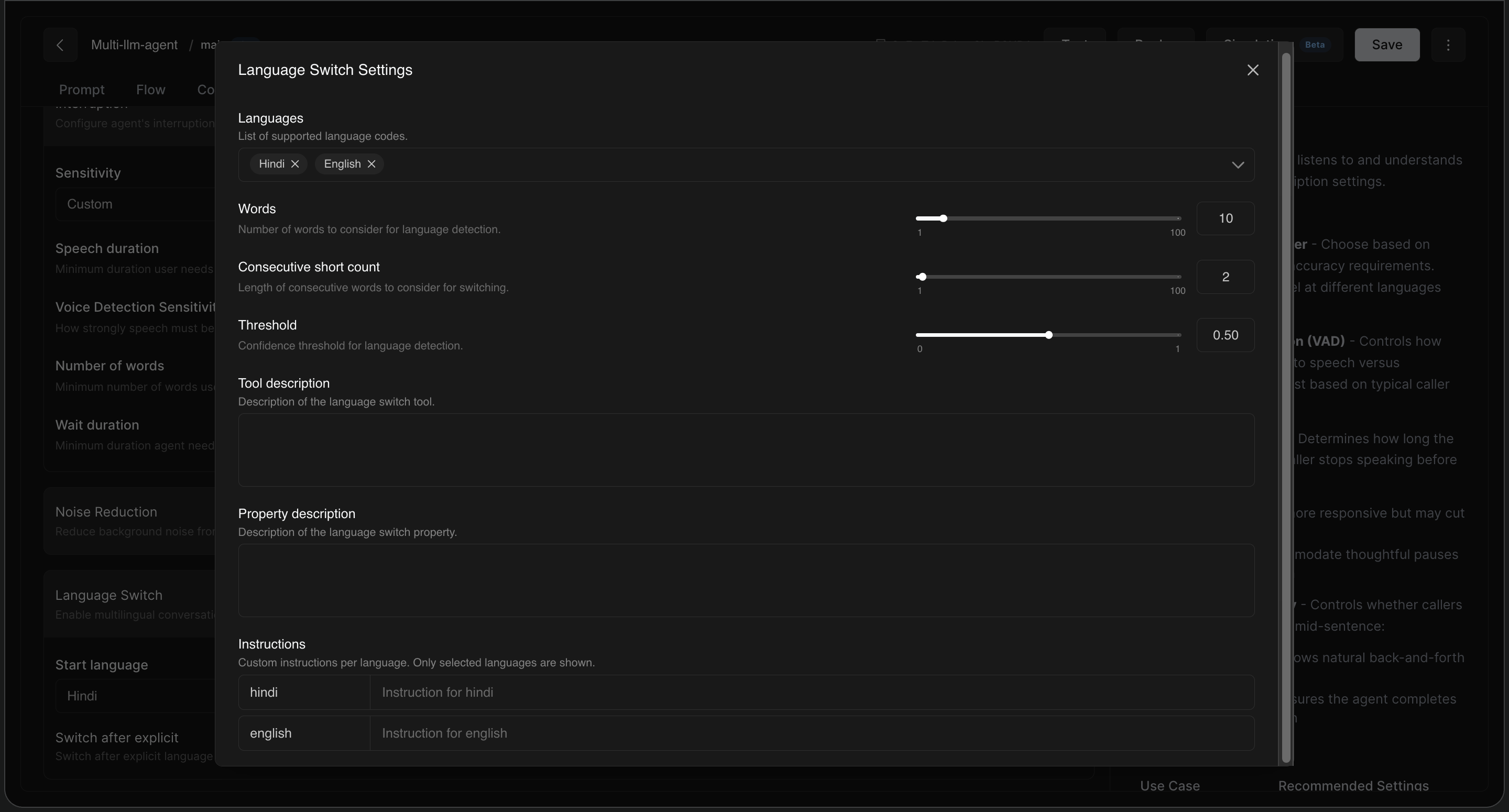
3. Language Switch
This feature enables the agent to handle multilingual conversations by automatically detecting the language the user is speaking.
-
Languages: Define the specific languages (e.g., Hindi, English) the agent should listen for.
-
Logic Settings:
-
Words: Number of words to analyze to confirm a language change.
-
Consecutive short count: The number of words in a row that must be in the new language to trigger a switch.
-
Threshold: The confidence level (0-1) required for the system to confirm a language switch.
-
-
Instructions: Provide specific prompts or rules for the agent for each supported language to ensure it maintains the correct context after switching.